

LED lights are amazing. They change colors. They dim. They set the mood. And then one day… the remote stops working. Frustrating, right? You press the buttons harder. You stand closer. You even beg it to work. Nothing happens.
TLDR: If your LED light remote is not working, the most common causes are dead batteries, blocked signals, pairing issues, or a faulty receiver. Start simple. Replace the batteries and check for obstacles. If that does not work, reset the system or re-pair the remote. In rare cases, you may need a new remote or control box.
Let’s break it down in a simple and fun way. No tech headaches. Just easy fixes you can try today.
1. Dead Batteries (The Usual Suspect)
This is the number one reason. And yes, it happens to everyone.
Even if the remote’s little red light turns on, the batteries might still be weak. LED remotes need enough power to send a strong signal. Weak batteries mean a weak signal.
Quick Fix:
- Open the battery cover.
- Remove the old batteries.
- Insert fresh ones. Make sure they match the + and – signs.
- Try again.
Tip: Don’t mix old and new batteries. Replace both at the same time.
Still not working? Let’s keep going.
2. You Are Too Far Away
LED remotes are not magic wands. They only work within a certain distance.
Most remotes work within 15 to 30 feet. Some even less.
If you are standing across the room, the signal might not reach the receiver.
Quick Fix:
- Move closer to the LED lights.
- Point the remote directly at the receiver.
- Press the button slowly and firmly.
Sometimes that is all it takes.
3. Something Is Blocking the Signal
Many LED remotes use infrared (IR). That means they need a clear line of sight.
If something is blocking the sensor, the remote cannot “see” the receiver.
Image not found in postmetaCommon blockers include:
- Furniture
- Cabinets
- TV stands
- Dust buildup
- Your own hand covering the sensor
Quick Fix:
- Find the small receiver eye. It is usually a tiny black bulb on a wire.
- Make sure it is visible.
- Wipe off any dust.
- Adjust its position so it faces the room.
If your remote uses RF (radio frequency), it does not need direct sight. But distance and walls can still weaken the signal.
4. The Remote Lost Its Pairing
Some LED remotes need to be paired to the controller. Like Bluetooth devices.
If there was a power outage, unplugging, or electrical surge, the remote may have unpaired itself.
Do not worry. This sounds scary. It is usually simple.
Quick Fix (Typical Pairing Method):
- Turn off the LED lights completely.
- Unplug them for 10 seconds.
- Plug them back in.
- Within 5 seconds, press and hold the power button on the remote.
The lights may blink. That usually means success.
Check your manual if this does not work. Different brands may use different steps.
5. The Receiver Box Is Loose
Your LED strip likely connects to a small control box. That box connects to power.
If something is loose, your remote will not work.
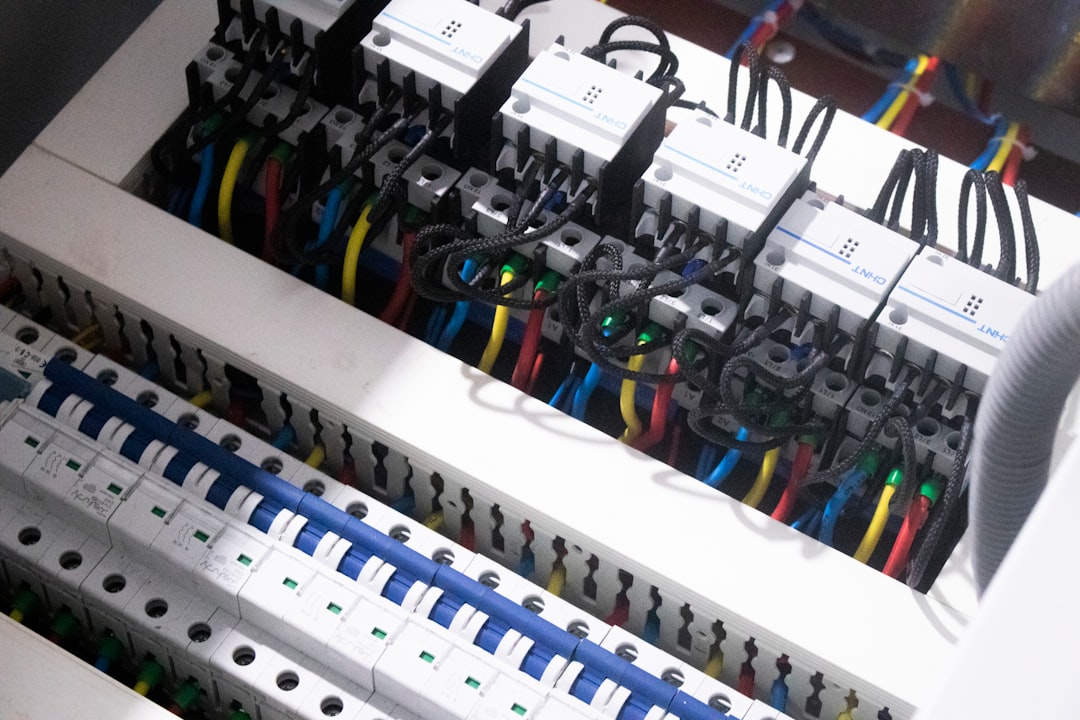
Quick Fix:
- Unplug everything.
- Check all cable connections.
- Make sure the strip is firmly connected to the controller.
- Plug it back in securely.
Loose connections are very common after moving furniture or installing new lights.
6. The Plastic Battery Tab Is Still There
This one is funny. But real.
If your LED lights are brand new, the remote may have a small plastic strip in the battery compartment. It prevents battery drain during shipping.
If you did not remove it, the remote will not work.
Quick Fix:
- Open the battery compartment.
- Look for a thin plastic tab.
- Pull it out.
Try again. Problem solved.
7. Battery Contacts Are Dirty
Batteries sit against small metal contacts. If those get dirty or bent, the circuit breaks.
This can happen from old battery leaks or dust.
Quick Fix:
- Remove batteries.
- Check the metal contacts.
- Clean gently with a cotton swab.
- If needed, use a tiny bit of rubbing alcohol.
Be gentle. Do not scratch the metal.
8. The Remote Is Damaged
Remotes fall. They get stepped on. Drinks spill.
Even if it looks fine outside, the inside could be broken.

Signs of a damaged remote:
- Buttons feel stuck
- No LED light when pressing buttons
- Only some buttons work
- Rattling noise inside
Quick Fix:
- Try new batteries first.
- If still not working, you may need a replacement remote.
The good news? LED remotes are usually inexpensive.
9. Interference From Other Electronics
Sometimes the problem is not the remote. It is the environment.
Other devices can interfere with signals. Especially RF remotes.
Possible troublemakers:
- WiFi routers
- Smart home hubs
- Baby monitors
- Other LED remotes nearby
Quick Fix:
- Turn off nearby devices temporarily.
- Test the remote again.
- Move the LED receiver away from routers if possible.
This is rare. But it happens.
10. Power Supply Problems
If the LED lights themselves are flickering or not turning on properly, the issue may be the power adapter.
No power means no response. Even if the remote is fine.
Quick Fix:
- Check if the outlet works.
- Try plugging something else into the same outlet.
- Inspect the power adapter for damage.
- Look for overheating.
If the adapter is faulty, replacing it may fix everything instantly.
11. The Control Box Is Faulty
This is less common. But possible.
The controller is the brain of your LED system. If it fails, the remote cannot communicate.
Signs of a bad controller:
- Lights stuck on one color
- Lights turn on but do not respond
- Only manual button works (if it has one)
Solution:
You may need a new controller box. Luckily, they are widely available and easy to replace.
12. Factory Reset Might Save the Day
When in doubt, reset everything.
A reset can clear glitches. Yes, even LED strips get confused sometimes.
Basic Reset Method:
- Unplug the LED strip.
- Wait 15 seconds.
- Plug it back in.
- Immediately press and hold the power button.
You may see flashing lights. That usually means success.
When It Is Time to Replace the Remote
If you have tried everything above, it may simply be worn out.
Before buying a new one:
- Check the brand and model number.
- Make sure the remote matches your controller.
- Consider buying a remote and controller combo for compatibility.
Some modern LED systems also offer phone app control. That means no remote needed at all.
Technology to the rescue.
Quick Troubleshooting Checklist
If you want a super short version, here it is:
- Replace batteries.
- Move closer.
- Remove obstacles.
- Check cable connections.
- Re-pair the remote.
- Reset the system.
- Replace faulty parts if needed.
Simple steps. Big results.
Final Thoughts
LED light remotes are small. But they control big vibes.
When they stop working, it feels annoying. But most issues are simple. Batteries. Distance. Pairing.
Start with the easy fixes. Take it step by step. Do not panic.
In most cases, your colorful lights will be glowing again in minutes.
And if all else fails? There is always the classic move.
Get up and plug it out and in again.
It works more often than you think.