

Modern home entertainment systems are no longer built around a single television and one media player. Many households now connect game consoles, streaming devices, Blu-ray players, projectors, soundbars, AV receivers, capture cards, and multiple displays. As these setups grow, one practical question becomes increasingly important: how do you send the same high-quality HDMI audio and video signal to more than one destination without constantly unplugging cables? This is where an HDMI audio video splitter becomes a useful and often necessary part of a reliable entertainment system.
TLDR: An HDMI audio video splitter allows one HDMI source to send the same audio and video signal to multiple displays or devices at the same time. It is especially useful for home theaters, gaming rooms, projector setups, sports viewing areas, and systems that combine TVs, sound equipment, and recording devices. A good splitter helps reduce cable swapping, protects ports from wear, and keeps picture and sound quality consistent when properly matched to your equipment.
What Is an HDMI Audio Video Splitter?
An HDMI audio video splitter is a device that takes a signal from one HDMI source and distributes it to two or more HDMI outputs. For example, you may connect a streaming box to the splitter’s input, then send the same movie or live broadcast to a living room TV and a projector at the same time.
The key idea is simple: one source, multiple destinations. Unlike an HDMI switch, which lets you choose between several sources for one display, a splitter duplicates the signal from one source to more than one screen or connected device.
Common HDMI sources include:
- Streaming devices such as media sticks and set-top boxes
- Game consoles
- Blu-ray and DVD players
- Cable or satellite receivers
- Computers and laptops
- AV receivers and media servers
Common HDMI destinations include:
- Televisions
- Projectors
- Monitors
- Capture cards
- Sound systems with HDMI input
- Secondary displays in another room
Why Home Entertainment Systems Often Need One
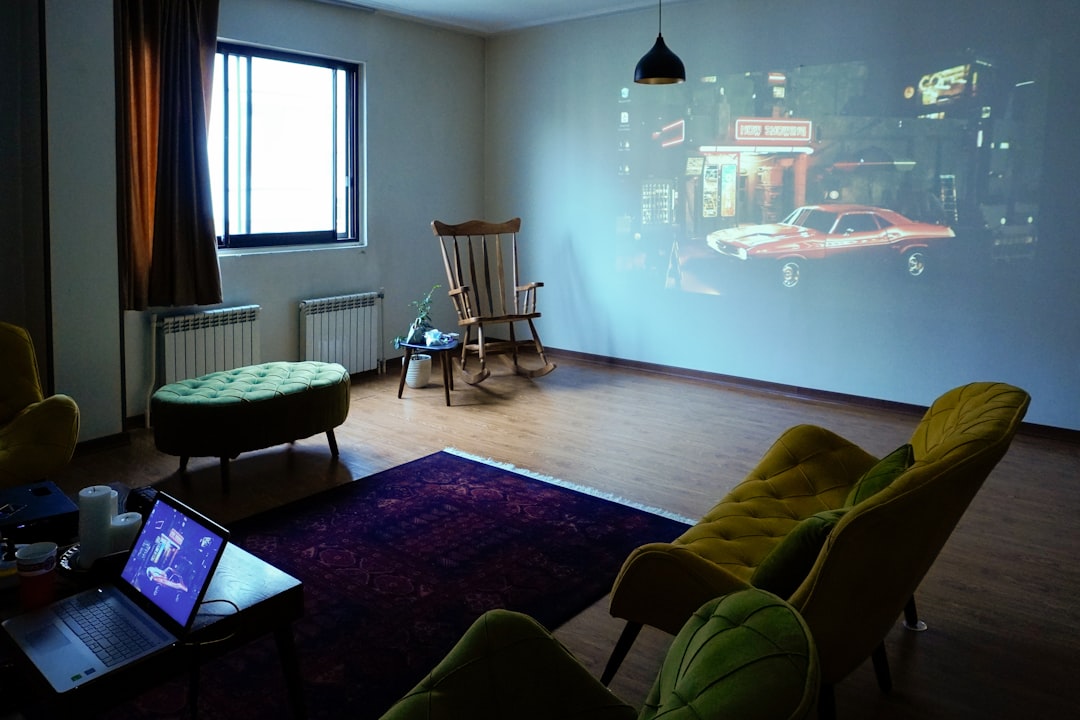
Many people begin with a simple setup: one TV, one console, and one streaming device. Over time, the system expands. A projector may be added for movie nights, a second television may be installed in a nearby room, or a soundbar may require a specific connection path. Without an HDMI splitter, users often resort to manually moving cables from one device to another.
That approach may work occasionally, but it is not convenient or ideal. HDMI ports are not meant to be repeatedly plugged and unplugged every day. Over time, this can loosen ports, damage connectors, and create intermittent signal problems. A splitter provides a cleaner, more stable solution.
For households that regularly watch sports, movies, concerts, or gaming content across multiple screens, an HDMI splitter can make the entire experience feel more organized and professional.
Benefit 1: Watch the Same Content on Multiple Screens
The most obvious reason to use an HDMI splitter is to display the same content on more than one screen at once. This is especially helpful in larger homes or entertainment spaces where viewers may not all be sitting in the same area.
For example, during a major sports event, you might want the game on the main living room TV and also on a projector in a recreation room. With an HDMI splitter, the same signal can be sent to both displays simultaneously. No one has to miss a play while moving between rooms.
This is also useful for:
- Movie nights with both a TV and projector available
- Open-plan living areas where multiple screens are visible from different angles
- Gaming parties where spectators can watch on a larger display
- Home bars or lounges with more than one television
- Training or presentation spaces inside the home
Benefit 2: Improve Convenience and Reduce Cable Swapping
One of the most frustrating parts of home entertainment is managing cables behind a TV cabinet. HDMI cables are often hard to reach, especially when a television is wall-mounted or when equipment is placed inside a media console. Constantly connecting and disconnecting cables is inconvenient and can create unnecessary wear.
An HDMI splitter helps solve this by keeping your main source connected all the time. Once everything is installed, you usually do not need to touch the cables again. This makes the setup more convenient for everyone in the household, not just the person who originally configured the system.
A well-planned HDMI setup should be easy to use, not something that requires troubleshooting every time someone wants to watch a movie.
Benefit 3: Support Projector and TV Setups
Many serious home entertainment systems include both a television and a projector. The TV is used for everyday viewing, while the projector is reserved for films, sports, and special events. However, connecting the same media source to both can be awkward without the right equipment.
An HDMI splitter allows your source device to feed both the TV and the projector. Depending on the model and setup, you may be able to keep both displays connected permanently and simply turn on the one you want to use. This is especially valuable when equipment is mounted on walls or ceilings, where cable access is limited.
Benefit 4: Maintain Better Signal Organization
Home entertainment systems can become messy quickly. Multiple cables, adapters, extenders, and devices may be placed behind the television or inside a cabinet. Without structure, it becomes difficult to identify which cable belongs to which device.
An HDMI splitter creates a central distribution point for one source signal. This makes the wiring easier to understand and maintain. If there is ever a problem, such as a blank screen or missing audio, it is easier to trace the signal path when your system is organized logically.
For a more reliable setup, consider these basic practices:
- Use properly rated HDMI cables for your resolution and refresh rate.
- Label your HDMI cables at both ends.
- Place the splitter in a ventilated area.
- Use a powered splitter when connecting multiple displays.
- Check compatibility with 4K, HDR, Dolby Atmos, or other required formats.
Benefit 5: Preserve Audio and Video Quality
A common concern is whether an HDMI splitter reduces picture or sound quality. A properly designed splitter should not degrade the signal when it is used within its specifications. HDMI is a digital connection, so the output is generally either stable or noticeably problematic. If the splitter supports your required resolution, refresh rate, color format, and audio standard, it can deliver excellent performance.
However, not all splitters are equal. A basic model designed for 1080p may not be suitable for a modern 4K HDR television. Likewise, a splitter that does not support advanced audio formats may limit your sound system’s performance.
When choosing a splitter, check support for the following:
- Resolution: 1080p, 4K, or 8K depending on your equipment
- Refresh rate: 60 Hz, 120 Hz, or higher if needed for gaming
- HDR formats: HDR10, Dolby Vision, or HLG where applicable
- Audio formats: Dolby Digital, DTS, Dolby Atmos, or lossless audio
- HDCP compliance: Required for protected content such as streaming and Blu-ray
Benefit 6: Useful for Gaming Setups
Gamers can benefit significantly from HDMI splitters, especially when they want to play on one screen while sending the same signal to a capture card, monitor, or larger display. For example, a console can be connected to a splitter, with one output going to a low-latency gaming monitor and another going to a recording device or television for spectators.
For gaming, specifications matter. You should pay attention to input lag, refresh rate, and HDMI version. If you use a current-generation console and want 4K at 120 Hz, you need a splitter that explicitly supports those features. Otherwise, the system may fall back to a lower resolution or refresh rate.
For casual gaming, a standard 4K 60 Hz splitter may be enough. For competitive or high-performance gaming, it is worth investing in a model designed for modern HDMI standards.
Benefit 7: Helpful for Audio Routing
Although many people think of HDMI mainly as a video cable, it also carries audio. This makes HDMI splitters useful when managing sound equipment. In some setups, users want to send video to a TV while also routing the same HDMI signal through an audio processor, receiver, or sound system.
Some HDMI splitters also include audio extraction features, allowing you to separate the audio signal and send it to speakers through optical, coaxial, or analog outputs. This can be useful when older audio equipment does not support modern HDMI connections but still delivers good sound quality.
Important Difference: Splitter vs Switch vs Matrix
Before buying equipment, it is important to understand the difference between similar HDMI devices.
- HDMI splitter: Sends one HDMI source to multiple displays or devices.
- HDMI switch: Connects multiple HDMI sources to one display and lets you choose which source to watch.
- HDMI matrix: Combines both functions, allowing multiple sources to be routed to multiple displays in different combinations.
If you only need to duplicate one source on two screens, a splitter is the right tool. If you have several sources and one TV, you need a switch. If you want multiple sources distributed independently to multiple rooms or displays, a matrix may be more appropriate.
Potential Limitations to Understand
An HDMI splitter is useful, but it is not a magic fix for every connection problem. The most important limitation involves compatibility between displays. When two screens with different capabilities are connected, the source may choose the lowest common format. For example, if one display supports 4K and another supports only 1080p, the source may output 1080p to both.
There may also be issues with HDCP, the copy protection system used by many streaming services and Blu-ray players. A reliable splitter should support the correct HDCP version for your devices. If it does not, you may see a black screen or an error message.
Cable length is another factor. HDMI signals can weaken over long distances, especially at higher resolutions. For long cable runs, you may need active HDMI cables, HDMI extenders, or fiber optic HDMI cables.
How to Choose the Right HDMI Splitter
To select the right splitter, begin with your actual equipment rather than the lowest price. A dependable splitter should match the performance level of your source and displays.
Consider these questions before buying:
- How many displays or devices do you need to connect?
- Do you need 1080p, 4K, or 8K support?
- Do you need HDR or Dolby Vision compatibility?
- Is high refresh rate gaming important?
- Do you need advanced audio format support?
- Will the HDMI cables be short or long?
- Does the splitter require external power?
For most home entertainment systems, a powered HDMI splitter is preferable to a passive cable-style splitter. Powered models are generally more stable because they actively manage and distribute the signal. This is particularly important when using 4K content, long cables, or more than two outputs.
When an HDMI Splitter Is Worth It
An HDMI splitter is worth considering if you regularly need the same content on more than one screen, if your projector and TV share the same source, or if your gaming and recording setup requires duplicate output. It is also worthwhile if you want to reduce cable handling and make your system easier for the whole household to use.
In a modest setup, it may seem like a small accessory. In practice, it can make a meaningful difference in reliability, convenience, and long-term usability. By choosing a splitter that matches your resolution, audio needs, and HDMI standards, you can avoid many common frustrations associated with modern entertainment systems.
Final Thoughts
A well-designed home entertainment system should deliver excellent picture and sound without complicated daily adjustments. An HDMI audio video splitter helps achieve that goal by distributing one source signal to multiple displays or devices in a clean and dependable way. Whether you are building a home theater, improving a gaming room, connecting a projector, or simplifying a multi-screen setup, the right splitter can be a practical and cost-effective addition.
The best results come from choosing a quality device that supports your current equipment and leaves room for future upgrades. With the right HDMI splitter in place, your entertainment system becomes easier to use, better organized, and more capable of delivering a consistent viewing experience throughout your home.