

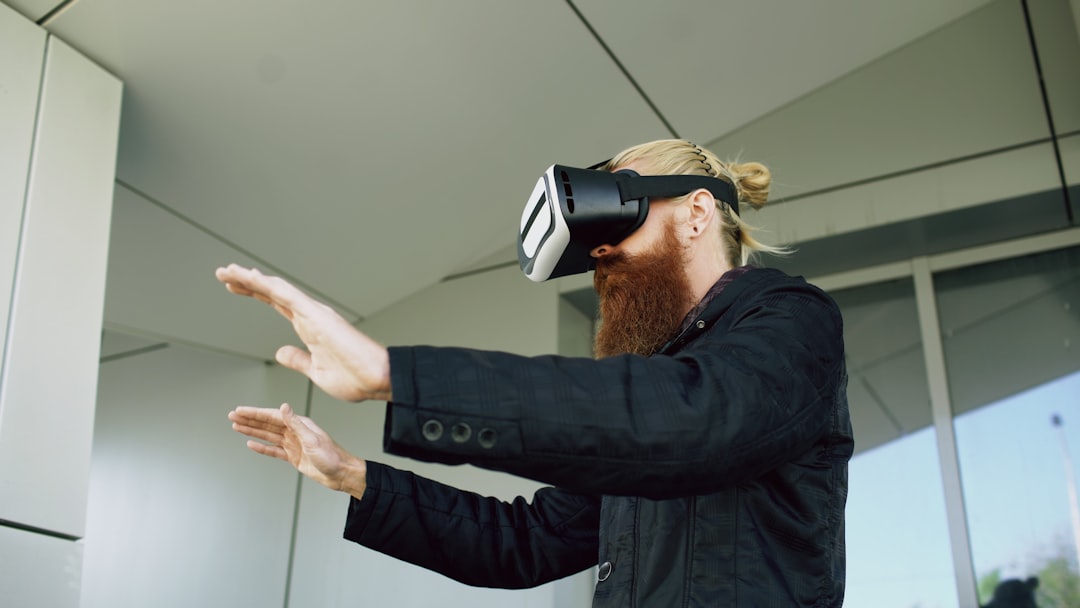
Virtual reality has made enormous leaps in recent years, with Oculus (now under the Meta umbrella) leading the charge through its innovative range of standalone and PC-tethered VR headsets. Among its most transformative features is Oculus Link, a capability that bridges the gap between the portability of standalone VR and the raw processing power of gaming PCs. For anyone seriously considering diving into high-end virtual reality experiences, understanding Oculus Link is critical.
TL;DR
Oculus Link allows Quest and Quest 2 users to connect their headset to a gaming PC to access the Oculus Rift library and play PC VR games. It turns your standalone headset into a PCVR device, unlocking higher graphical fidelity and broader content options. You’ll need a compatible USB cable and a capable PC to use it effectively. The setup is simple, but your experience depends on hardware quality and software updates.
What is Oculus Link?
Oculus Link is a feature developed by Oculus (Meta) that enables a Meta Quest or Quest 2 headset to function as a PC VR headset. Instead of being limited to the standalone experience available on the Quest’s internal hardware, with Oculus Link enabled, users tap into the greater power and flexibility of their gaming PCs. This connection vastly expands the VR ecosystem available to Quest users.
Initially released in 2019, Oculus Link helped remove the decision pressure between the standalone Quest line and the PC-dependent Rift line and ultimately paved the way for Oculus’s current focus on the Quest ecosystem.
How Does Oculus Link Work?
When you enable Oculus Link, you’re essentially converting your Quest or Quest 2 headset into an Oculus Rift. This is done by connecting the headset to a PC using a high-performance USB cable—either USB 3.0 Type-C or a high-quality USB-C to USB-A cable.
Once connected, the headset receives video and data streams directly from the PC, allowing it to run high-end VR games and applications—such as Half-Life: Alyx, No Man’s Sky VR, or Microsoft Flight Simulator.
What You Need to Use Oculus Link
To get the most from Oculus Link, you’ll need a few essential components. Here’s a breakdown of the hardware and software requirements:
1. A Compatible Oculus Headset
Oculus Link is officially supported on:
- Meta Quest
- Meta Quest 2
- Meta Quest Pro (via Oculus Air Link or other PCVR tethering options)
2. A Capable Gaming PC
Your PC must meet the minimum system requirements. These include:
- CPU: Intel i5-4590 / AMD Ryzen 5 1500X or greater
- GPU: NVIDIA GTX 1070 / AMD 500 Series or better
- RAM: At least 8 GB
- Operating System: Windows 10 or later
- USB Port: At least one USB 3.0 port
Please note that newer GPUs—such as NVIDIA RTX 30 and 40-series—offer significantly better performance and are better equipped to handle graphically intensive games with higher comfort.
3. A High-Quality USB Cable
Oculus Link requires a USB 3.0 or better cable capable of high data transfer and fast charging. Meta sells their own 5-meter Oculus Link cable, but several third-party options are just as reliable and often more affordable.
Setting Up Oculus Link
Using Oculus Link is relatively straightforward. Here’s how to set it up:
- Ensure your PC meets the required hardware and software specifications.
- Install the Oculus PC software from the official Oculus website.
- Use a compatible cable to connect your Quest headset to your PC’s USB 3.0 port.
- Put on your headset and accept the Oculus Link prompt when it appears.
- Launch the Oculus PC app, SteamVR, or any PC VR-compatible software.
After setup, your Quest will operate in “Link Mode,” where it functions much like a traditional PC VR headset.
Oculus Link vs. Oculus Air Link
Meta offers an alternative to the Oculus Link cable setup: Oculus Air Link. This allows wireless streaming from your PC to the headset over Wi-Fi. While it offers freedom of motion, it requires extremely fast and stable Wi-Fi (Wi-Fi 6 is recommended), and may introduce some latency or compression artifacts compared to the USB connection used in Oculus Link.
Here’s a quick comparison table:
| Feature | Oculus Link | Oculus Air Link |
|---|---|---|
| Connection Type | Wired (USB) | Wireless (Wi-Fi) |
| Latency | Lower (better) | Moderate (depends on network) |
| Setup | Simple, stable | Requires network optimization |
| Battery Drain | Slower with charging capability | Faster due to wireless data streaming |
Advantages of Oculus Link
Oculus Link isn’t just about bridging a cable between your headset and PC; it’s about unlocking the full potential of virtual reality. Here are some of the major benefits:
- Access to PC VR Games: Run games from SteamVR, Epic Games Store, or the Oculus Rift library.
- Improved Graphics: Play VR games with high-resolution textures, complex shaders, and detailed environments that surpass what standalone headsets can render.
- Reduced Latency: Wired data transfer allows for smoother gameplay compared to Wi-Fi based options.
- Device Charging: Many USB-compatible cables can charge your headset while you play, increasing session length.

Limitations and Considerations
While Oculus Link brings high-quality VR within reach for Quest users, it’s not without caveats:
- Hardware Dependent: Experiences vary greatly depending on the PC’s specifications and the quality of the USB cable.
- Physical Tethering: The cable can limit movement and immersion for some types of VR gameplay.
- Software Glitches: Occasional bugs or updates may cause compatibility issues, though these are usually temporary.
- Compression Artifacts: Even with a cable, Link relies on data compression, which can cause subtle visual imperfections.
Is Oculus Link Right for You?
This depends on both your aspirations as a VR user and your hardware. If your goal is to explore deep, graphically rich VR games like Asgard’s Wrath or modded VR versions of Skyrim, Oculus Link is undoubtedly a must. However, more casual users may be perfectly content with the Quest’s default library and wireless iteration like Air Link.
You should also consider your physical environment: using a Link cable effectively often requires careful cable management or third-party accessories to avoid tangles or tripping hazards.
Conclusion
Oculus Link is a critical feature that transforms the Meta Quest series from a standalone headset into a full PC VR platform. Whether you’re a VR enthusiast looking to expand your horizons, or a PC gamer dipping your toes into virtual worlds, this feature provides an adaptable and powerful bridge between two ecosystems. However, it’s essential to assess your hardware, cabling, and game library before making it your primary VR method.
By understanding the fundamentals of Oculus Link, you’ll be able to make an informed decision and take full advantage of your VR hardware — wired, or otherwise.