


Running a retail business is tough. There are so many moving parts—inventory, customer service, payments, receipts. That’s where a POS (Point of Sale) system comes in. But what if you’re just getting started and can’t afford expensive software? Good news: there are free options out there that can get the job done!
TL;DR
You don’t have to spend a fortune to get a decent POS system. There are zero-cost platforms out there tailored for retail businesses. Whether you’re running a tiny boutique or a weekend market stall, a free POS system can help manage sales, inventory, and customers. Let’s break down the best options and what you should look for.
What is a POS System?
A POS system is what you use to complete a sale. It’s a mix of hardware (like tablets, scanners, receipt printers) and software (the program that tracks sales, taxes, inventory, and more). A good POS can turn a chaotic shop into a smooth operation.
But when we say “free POS system,” what do we really mean? Usually, the software is free. You might still need to buy some hardware. And free versions may limit the number of users or features. But for many small businesses, these limits aren’t a problem at all.
Why Use a Free POS System?
- Save money – Obvious, right? You keep your startup costs low.
- Lightweight setup – Many of these work on tablets or phones.
- Easy to learn – Designed for small business owners, not tech wizards.
- Scalable – Start free and upgrade if you grow big.
Top Free POS Systems for Retail
1. Square POS
Best for: Small brick-and-mortar and mobile shops
Square offers a forever-free POS with no hidden monthly fees. You get a clean interface, quick setup, and support for inventory, digital receipts, and analytics. Square charges processing fees when you make a sale—but there’s no charge to use the software.
Cool feature: It works great with mobile devices and includes built-in payment processing.
2. Loyverse
Best for: Cafes, boutiques, and tiny retail stores
This POS stands for “Loyalty Universe.” It’s colorful, friendly, and perfect if you want to manage multiple stores. Inventory management, sales dashboards, and customer loyalty tools are included—for free!
Bonus: It works offline. That means you won’t lose your data even without an internet connection.
3. Imonggo
Best for: Super-simple setups
Imonggo keeps things lean. Free for a single user with up to 1,000 products. It includes online selling options and analytics, too.
Downside: If you’re planning to grow fast, the limitations may catch up to you.
4. eHopper
Best for: Multichannel retailers (in-person and online)
eHopper’s free plan includes POS, inventory, and employee management. It even supports EBT and contactless payments. It’s ideal for stores that want omnichannel solutions without the high price tag.

Must-Have Features in a Free POS
Before jumping into the first free option, check that it has these basics:
- Payment processing: Can it handle credit cards, tap-to-pay, and cash?
- Inventory tracking: Know what’s selling fast and what’s gathering dust.
- Sales reporting: See how much you’re making and when your busiest times are.
- Customer management: Collect data to send promos or reward loyal shoppers.
- Ease of use: You’re busy—don’t waste time with something complicated.
Hardware: What You’ll Likely Need
The software might be free, but you’ll probably need a few devices to really use a POS setup:
- Tablet or smartphone: Acts as the main terminal.
- Cash drawer: For those cash-loving customers.
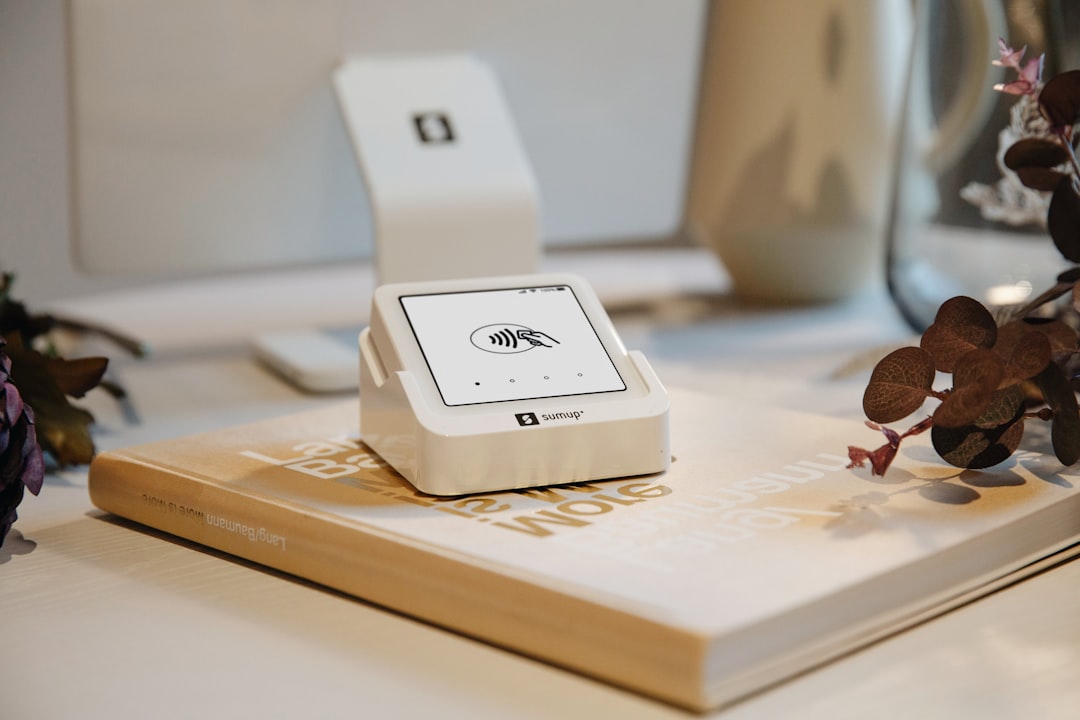
- Card reader: Most vendors like Square provide one for free when you sign up.
- Receipt printer: Some customers still prefer paper receipts.
- Barcode scanner: Speeds up checkout if you sell lots of products.
You can usually mix and match. Some systems let you print receipts directly from a tablet. Some let customers sign with their finger. Super slick!
Pros and Cons of Free POS Systems
Pros
- Zero upfront cost
- Simple to learn
- Great for trying before you commit
- Good basic features
Cons
- Limited users or transactions
- Fewer integrations with other software (like accounting tools)
- May show ads or promote paid upgrades
When Should You Upgrade to a Paid Plan?
Eventually, your brilliant little store might outgrow the free plans. Here’s when it’s time to think about upgrading:
- You need more employees to log in.
- You want advanced analytics or third-party integrations.
- You’ve added a new store or started selling online.
- You need faster support or hardware replacement help.
Upgrading doesn’t mean starting from scratch. Most platforms let you sync data easily from the free to the paid version. So you’re not losing anything—you’re just leveling up!
Tips for Getting Started with a Free POS
Wondering how to get going? Here’s a quick guide:
- Make a list of your needs: What’s most important for your shop?
- Try 2 or 3 systems: Most free options don’t lock you in.
- Don’t stress over hardware: Start with a phone or tablet, then add gadgets later.
- Set it up during off-hours: Install and test when it’s quiet in the shop.
- Train yourself and staff: Watch free tutorials—YouTube is your friend!
Conclusion: Small Budget? No Problem.
Starting a retail business is exciting, and the right POS can make it run smoother. You don’t need to spend big bucks to handle transactions, track sales, and keep inventory sharp. Free POS systems are perfect stepping stones. Use them to grow smarter, not harder.
From crafts fairs to corner shops, free POS systems can be your behind-the-scenes hero. Why pay more when you don’t have to? Dive in, play around, and see what works best for your store. You’ve got this!