


Not all great WordPress plugins wear a big shiny badge. Some quietly sit in the background and do their job brilliantly. If you run a membership site, online course, private blog, or client portal, you already know how important it is to control who sees what. The good news? There are some powerful content restriction plugins that don’t always get the spotlight they deserve.
TL;DR: There are plenty of lesser-known WordPress plugins that make restricting content simple and flexible. From role-based visibility to password protection and full membership control, these tools cover all the bases. Many are lightweight, affordable, and surprisingly easy to use. If you want smarter content control without the bloat, these seven plugins are worth a look.
1. Restrict User Access
Simple name. Powerful results.
Restrict User Access is perfect if you want flexible, time-based control over content. Instead of just assigning roles, you can create custom “access levels.” Then you decide who gets what.
Here’s why it stands out:
- Multiple access levels per user
- Drip content scheduling
- Expiration dates for access
- Works with custom post types
This makes it great for online courses or membership platforms. You can give users access for 30 days. Or unlock content week by week. No complicated setup.
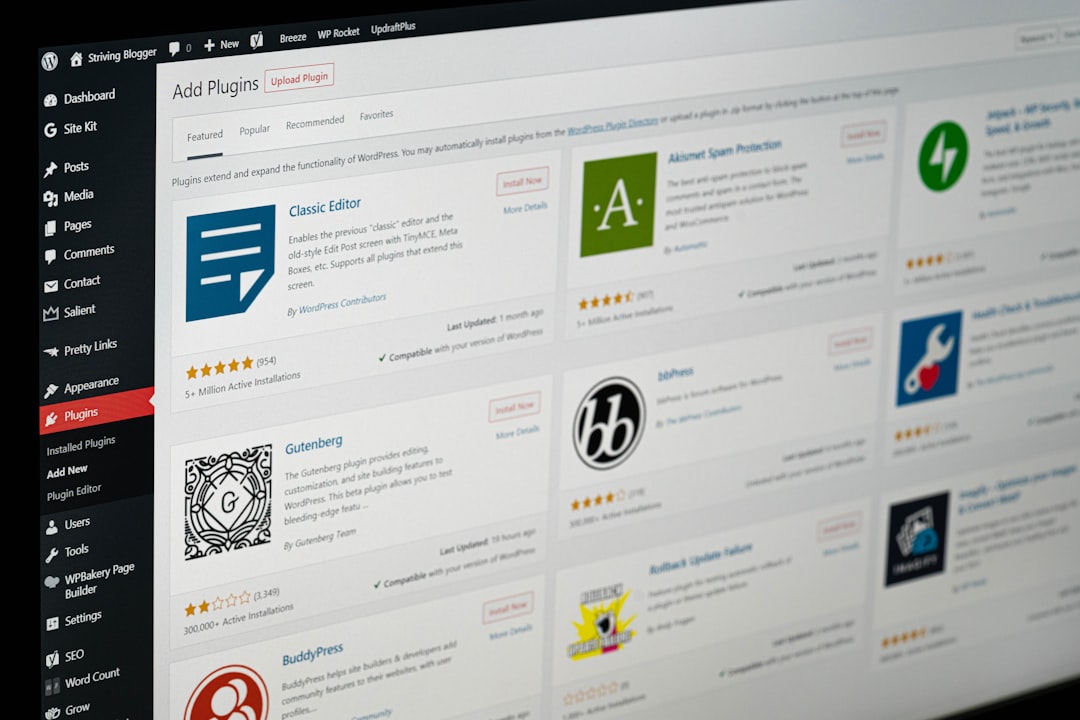
If you like control without complexity, this one feels just right.
2. Content Control
Content Control is lightweight. It doesn’t try to be everything. It just helps you restrict content cleanly.
You can:
- Restrict entire pages
- Hide specific blocks
- Control Gutenberg block visibility
- Limit by logged-in status or user role
One of its coolest features is block-level restriction. Using the WordPress block editor, you can click on a block and decide who sees it.
Want to show a download button only to subscribers? Easy.
Want to hide premium content from guests? Done.
It’s simple. Fast. And doesn’t overload your site.
3. WP Private Content Plus
This one is perfect for client work and private portals.
WP Private Content Plus allows you to create a fully private area on your site. Each user can have their own private page. Think of it like secure mini dashboards.
Great use cases:
- Freelancers sharing files with clients
- Agencies building client portals
- Coaches delivering private resources
You can:
- Create private pages automatically
- Control menu visibility
- Restrict widgets
- Limit access by role
It solves a very specific problem. And it solves it well.
No need to install a giant membership system if you only need secure sharing.
4. Groups
Groups is often overlooked. But it’s extremely flexible.
Instead of just using WordPress roles, it lets you create custom groups. Users can belong to one or multiple groups. Then you restrict content based on those groups.
This gives you layered control.
For example:
- Group A sees tutorials
- Group B sees premium downloads
- Group C sees both
You’re not limited by default roles like Author or Subscriber.

It integrates well with eCommerce and membership add-ons too. So you can sell access if you want.
If you love organizing things neatly, you’ll love Groups.
5. WP Restrict Content (by Code Amp)
Not to be confused with bigger plugins. This one is clean and focused.
WP Restrict Content does exactly what its name says. It restricts content. Without extra fluff.
Features include:
- Shortcode-based restrictions
- Role-based visibility
- Password protection options
- Custom messages for restricted users
It’s ideal for bloggers who want to offer “members-only” sections without building a full membership platform.
You wrap content inside a shortcode. Done.
Visitors who don’t have access see a custom message. You can guide them to sign up or log in.
Clean. Direct. Effective.
6. Ultimate Member (for Smart Profile Restrictions)
Ultimate Member is known for user profiles. But many people ignore its restriction features.
It allows you to:
- Create member directories
- Restrict pages by user role
- Lock navigation menu items
- Redirect users based on login status
Where it shines is community-based sites.
Imagine:
- Free members see limited content
- Premium members unlock everything
- Moderators get access to special tools
You can create a polished, gated experience without heavy custom coding.
It’s especially useful if user profiles matter to your project.
7. Simple Membership
The name says it all.
Simple Membership helps you create free and paid memberships quickly. It doesn’t overwhelm you with options.
Key features:
- Unlimited membership levels
- Partial content protection
- Secure file downloads
- Payment integration support
You can protect posts and pages easily. Or restrict just parts of them.
It’s great for:
- eBook sellers
- Mini course creators
- Niche communities
Setup is straightforward. The learning curve is gentle. And performance stays solid.
What Makes a Good Content Restriction Plugin?
Not all restriction plugins are equal.
Before choosing one, ask yourself:
- Do I need full memberships or just hidden sections?
- Do I want drip content?
- Will I sell access?
- Do I need private client dashboards?
- Is site speed important? (Hint: It always is.)
Sometimes a smaller tool does the job better than a massive system with 50 features you’ll never use.
Under-the-radar plugins tend to be:
- More focused
- Easier to configure
- Less bloated
- More affordable
And that’s a big win.
Quick Comparison Snapshot
- Best for drip content: Restrict User Access
- Best for block-level control: Content Control
- Best for client portals: WP Private Content Plus
- Best for custom grouping: Groups
- Best lightweight shortcode solution: WP Restrict Content
- Best for community sites: Ultimate Member
- Best simple paid memberships: Simple Membership
Final Thoughts
You don’t always need the most popular plugin. You need the right one.
Content restriction isn’t just about hiding pages. It’s about creating experiences. Rewarding members. Serving clients. Protecting premium work.
And the plugins above prove that you can do all that without installing a bloated giant.
Explore them. Test them. See which fits your workflow.
Because in WordPress, smart control beats complicated setups every single time.