

Managing crypto investments across multiple exchanges and wallets can quickly become overwhelming. With assets spread over centralized exchanges, decentralized platforms, hardware wallets, and DeFi protocols, keeping an accurate picture of your holdings requires more than spreadsheets and guesswork. That’s where crypto portfolio tracking software comes in—offering automation, real-time insights, and powerful analytics in one convenient dashboard.
TLDR: Crypto portfolio tracking tools help investors monitor assets across multiple exchanges and wallets in real time. The best platforms offer automated syncing, tax reporting, advanced analytics, and support for DeFi and NFTs. In this article, we review three top-performing tools—CoinStats, Delta Investment Tracker, and CoinTracking—comparing their features, integrations, and best use cases. If you’re serious about optimizing and protecting your crypto investments, one of these tools can make portfolio management dramatically easier.
Why Multi-Exchange and Wallet Integration Matters
The average crypto investor uses more than one platform. You might trade on Binance, hold long-term assets on Coinbase, store Bitcoin in a Ledger hardware wallet, and experiment with DeFi through MetaMask. Without a unified interface, tracking performance becomes complicated.
Strong portfolio tracking software should offer:
- Automatic synchronization via API integrations
- Wallet address tracking for on-chain assets
- Support for multiple blockchains (Ethereum, Bitcoin, Solana, etc.)
- DeFi and NFT tracking
- Tax reporting tools
- Real-time price updates and analytics
Below are three crypto portfolio tracking tools that stand out for their robust integration capabilities and user-friendly design.
1. CoinStats
Best for: All-in-one tracking with extensive DeFi and wallet integration
CoinStats has built a strong reputation as one of the most comprehensive crypto portfolio tracking apps available today. It supports more than 300 exchanges and wallets, allowing users to consolidate holdings with minimal manual input.
Key Features
- API integrations with major exchanges like Binance, Coinbase, Kraken, and KuCoin
- Wallet tracking for MetaMask, Trust Wallet, Ledger, and more
- Native DeFi protocol support
- NFT tracking on Ethereum and Polygon
- Advanced analytics and daily performance reports
- Mobile and desktop apps with real-time alerts
One of CoinStats’ strengths is its intuitive design. After connecting exchange APIs or wallet addresses, your assets automatically populate in a clean, visual dashboard. Users can monitor asset distribution, profit and loss, and historical performance trends in just a few clicks.
Security Considerations: CoinStats uses read-only API keys for exchange connections, ensuring it cannot execute trades or withdraw funds.
Who It’s For: Investors who hold assets across centralized exchanges and DeFi wallets and want a visually appealing, easy-to-use interface.
2. Delta Investment Tracker
Best for: Cross-asset investors who manage both crypto and traditional investments
Delta started as a crypto tracking app but has evolved into a powerful multi-asset investment tracker. Owned by eToro, it allows users to monitor cryptocurrencies alongside stocks, ETFs, and other traditional investments.
Key Features
- Exchange integration with major crypto platforms
- Wallet syncing for popular blockchain wallets
- Manual transaction entry for unsupported assets
- Support for stocks and ETFs
- Custom alerts and performance metrics
- Clean mobile-first design
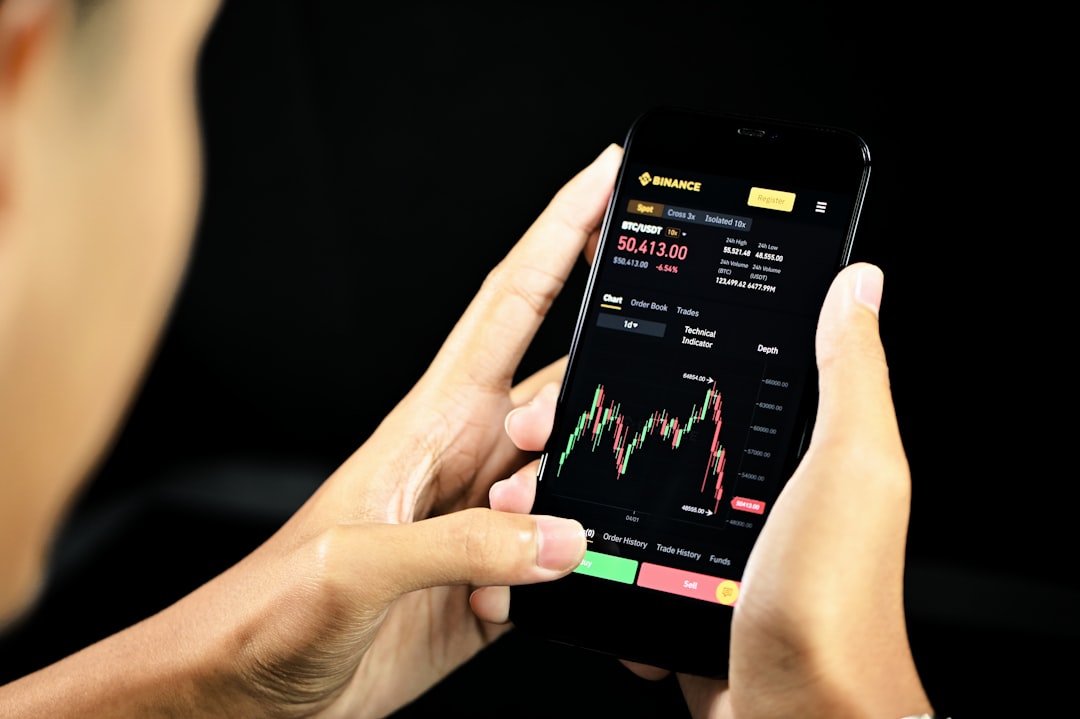
Delta’s standout feature is its simplicity. The interface is streamlined, making it particularly appealing to beginners or hybrid investors holding both crypto and traditional assets. It offers detailed breakdowns of profits, losses, fees, and historical performance.
While it may not go as deep into DeFi or NFT tracking as some competitors, it makes up for it with strong usability and cross-asset support.
Security Considerations: Like most trackers, Delta uses encrypted, read-only API keys and does not have withdrawal access.
Who It’s For: Investors who want one app to track both crypto and traditional investments without navigating a steep learning curve.
3. CoinTracking
Best for: Advanced traders and detailed crypto tax reporting
CoinTracking is one of the oldest and most feature-rich crypto portfolio tracking platforms available. While its interface may feel less modern than competitors, its depth of functionality is unmatched—especially when it comes to tax reporting.
Key Features
- Integration with 100+ exchanges via API and CSV import
- Bitcoin, Ethereum, and altcoin wallet tracking
- Comprehensive capital gains tax reports
- Trade analysis and realized/unrealized profit metrics
- Portfolio simulation tools
- Margin and futures tracking
CoinTracking shines in its analytics engine. Users can generate reports on trading fees, holding periods, performance per exchange, and even projected tax burdens.
For high-frequency traders or investors facing complex tax scenarios, this level of detail can be invaluable.
Security Considerations: CoinTracking prioritizes data privacy and supports encrypted API imports. Users can also opt for manual CSV uploads for additional security.
Who It’s For: Active traders, tax-focused investors, and anyone needing advanced reporting capabilities.
Comparison Chart
| Feature | CoinStats | Delta | CoinTracking |
|---|---|---|---|
| Exchange Integrations | 300+ | Major exchanges | 100+ |
| Wallet Integration | Extensive (MetaMask, Ledger, etc.) | Popular wallets supported | Supported via API and CSV |
| DeFi & NFT Tracking | Strong support | Limited | Moderate |
| Tax Reporting | Basic to moderate | Basic | Advanced, comprehensive |
| User Interface | Modern and visual | Simple and mobile friendly | Data rich, less modern |
| Best For | All-in-one users | Hybrid investors | Active traders and tax optimization |
How to Choose the Right Portfolio Tracker
When selecting a crypto portfolio tracking tool, consider the following:
- Number of platforms you use: The more exchanges and wallets you have, the more important wide integration becomes.
- DeFi exposure: If you farm yield, stake tokens, or hold NFTs, make sure your tracker supports these assets.
- Tax complexity: Frequent trading or futures activity may require advanced reporting like CoinTracking offers.
- User experience preference: Some investors want clean visuals; others want deep analytics.
- Budget: Most trackers offer free plans, but advanced features often require paid subscriptions.
It’s also wise to test a platform’s free version before committing to a subscription. Connecting one or two exchanges can give you a quick sense of usability and accuracy.
Security Best Practices When Using Portfolio Trackers
Even the best software must be used responsibly. Here are a few important safety tips:
- Use read-only API keys only.
- Never enable withdrawal permissions.
- Enable two-factor authentication on both exchanges and tracking apps.
- Regularly audit connected APIs and remove unused ones.
- Avoid sharing screenshots that reveal balances or account details.
Remember, portfolio trackers are visibility tools—not storage solutions. Your actual assets remain on exchanges or in wallets you control.
Final Thoughts
As crypto portfolios grow more diversified and complex, manual tracking becomes inefficient and error-prone. Multi-exchange and wallet-integrated portfolio trackers solve this problem by centralizing your data into a single, actionable dashboard.
CoinStats excels in broad integrations and modern design, making it ideal for DeFi-savvy investors. Delta simplifies tracking across crypto and traditional assets, appealing to hybrid investors. CoinTracking delivers unparalleled reporting depth for active traders and tax-conscious users.
Ultimately, the best choice depends on your investment strategy. Whether you’re a long-term holder securing assets across hardware wallets or an active trader juggling multiple exchanges, the right tracking software can transform how you manage and optimize your crypto portfolio.
In a market that never sleeps, clarity is power—and these tools help you maintain both.